How to Create a Pipeline
🧭 Pipeline
Pipelines in Lead Boss CRM help you manage, track, and automate your lead and client workflows in one place. They visually organize leads and customers into stages that match your business process, from first contact to conversion or completion.
With pipelines, you can automate key actions such as follow-ups, notifications, and task assignments at each stage. This helps ensure timely communication, reduces manual work, and keeps engagement consistent.
🛠️ Creating a Pipeline
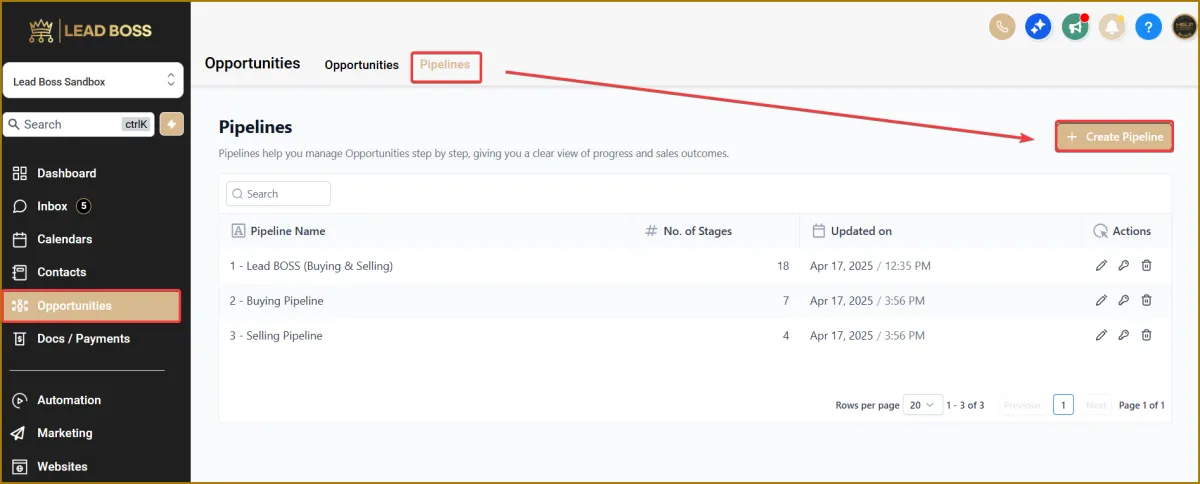
1️⃣ Navigate to:
Opportunities → Pipeline → Create Pipeline
⚠️ Note:
You can create a new pipeline from scratch, or use one of the pre-built pipelines we’ve already created for you.
You may also customize any existing pipeline to better match your specific business process.
✏️ Customizing an Existing Pipeline
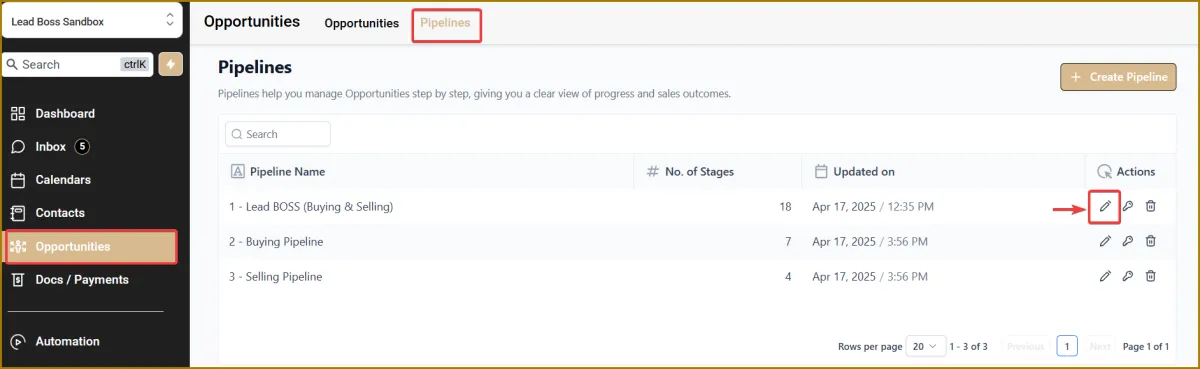
🔹 To use and customize a pre-built pipeline, click the Edit (pen) icon next to the pipeline you want to modify.
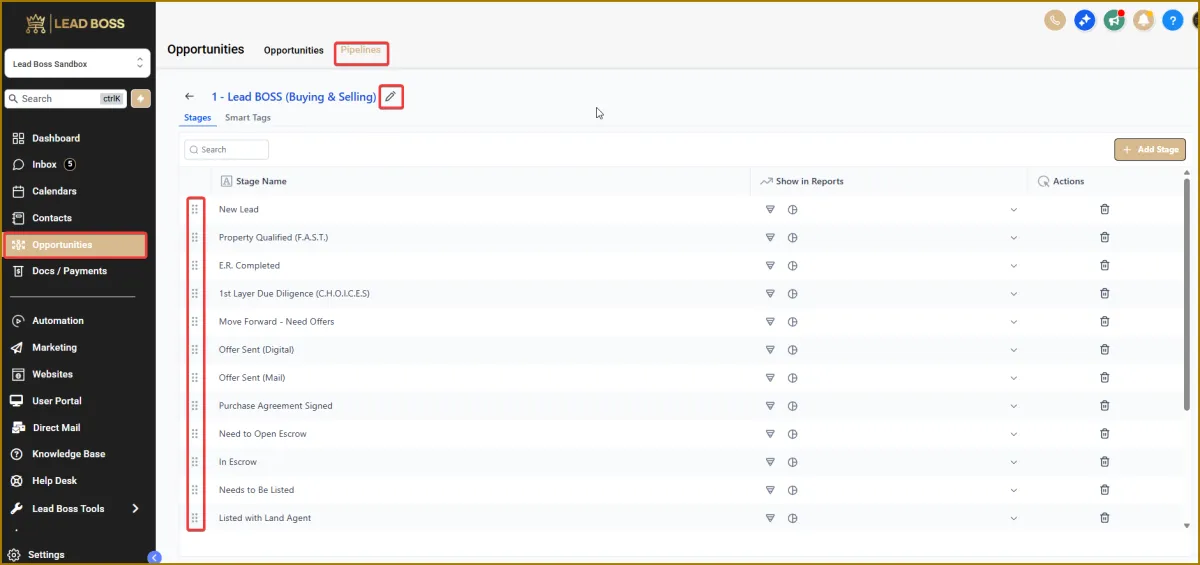
🔹 To add a new stage, click Add Stage.
🔹 You can drag and drop stages to rearrange them as needed.
🔹 The Edit (pen) icon next to each pipeline name allows you to rename the pipeline or modify it even after it has been saved.