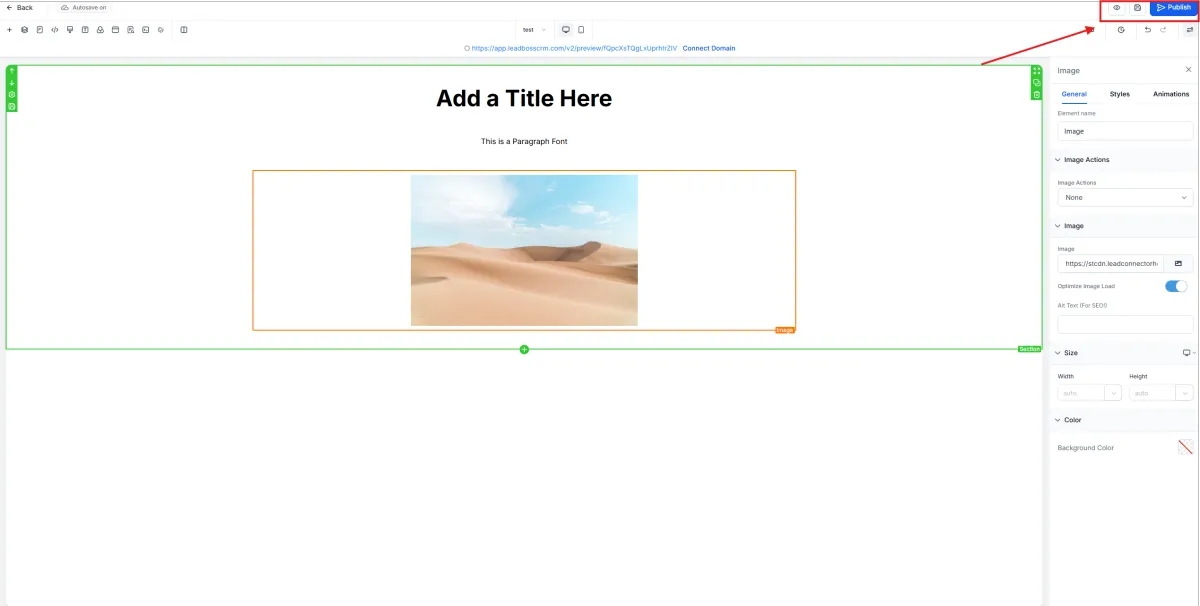
How to Create a Website
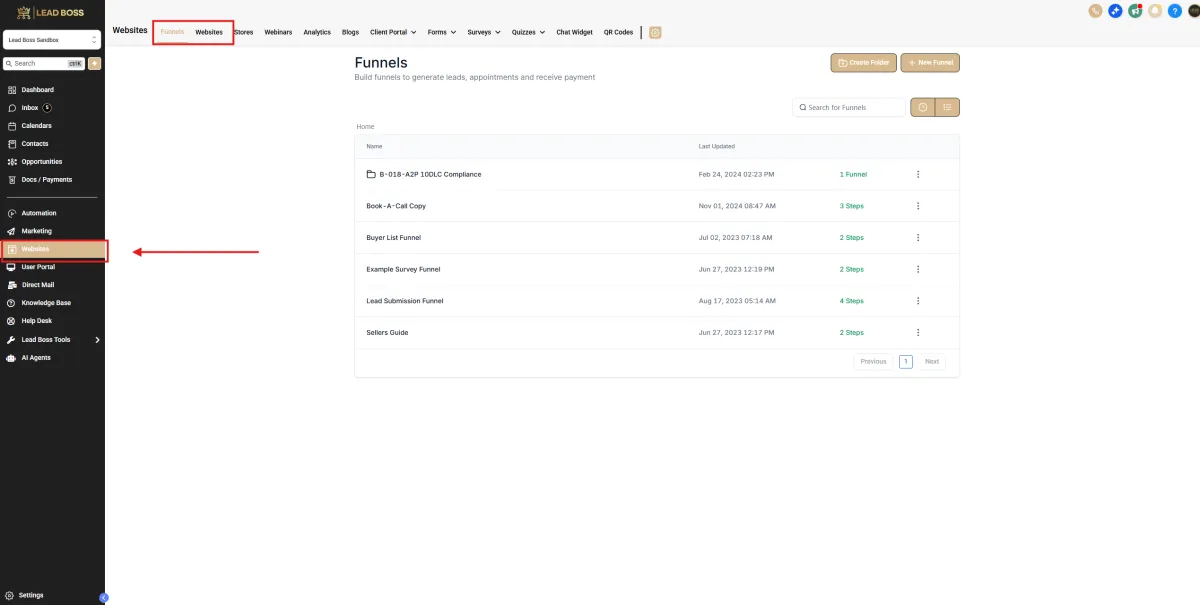
1️⃣ Go to Websites
From the left sidebar:
Select Websites
At the top menu, make sure Websites is selected
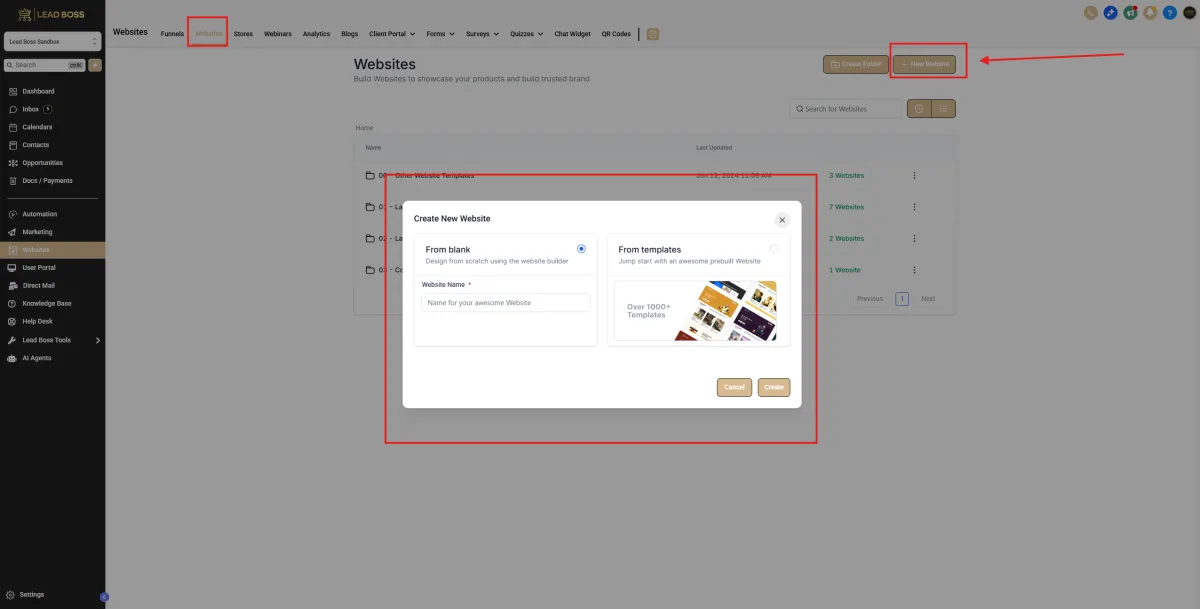
2️⃣ Create a New Website
Click + New Website (top right).
A popup will appear.
Choose:
From Blank → to build from scratch
OR
From Templates → to use a prebuilt layout
Enter your Website Name.
Click Create.
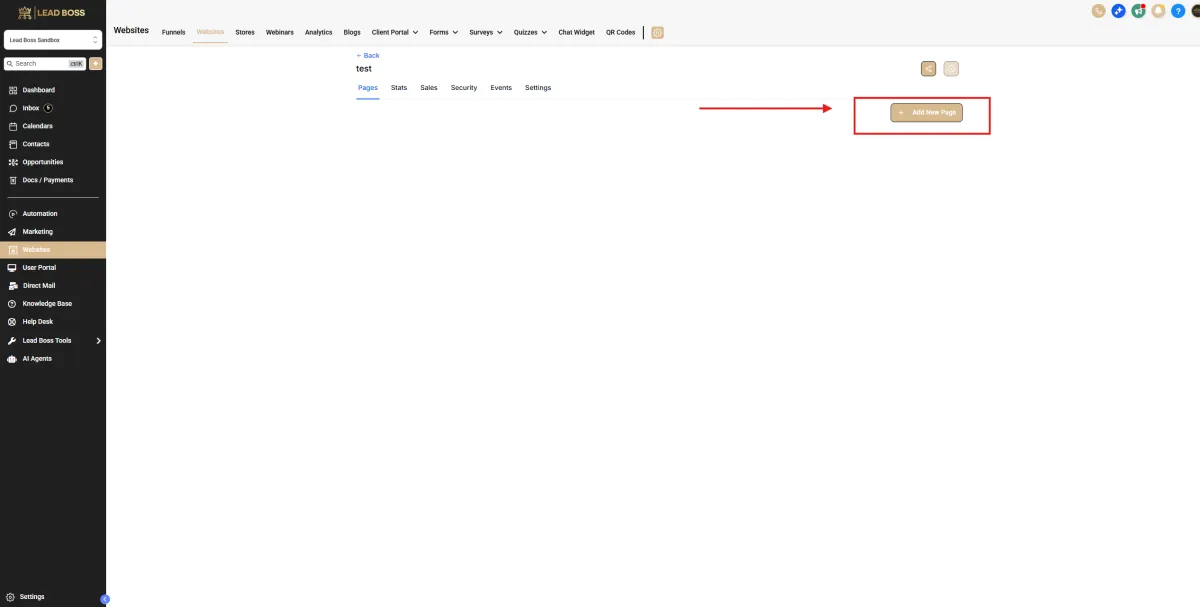
3️⃣ Add a New Page
Inside your website:
Click + Add New Page (top right).
Name your page and open the builder.
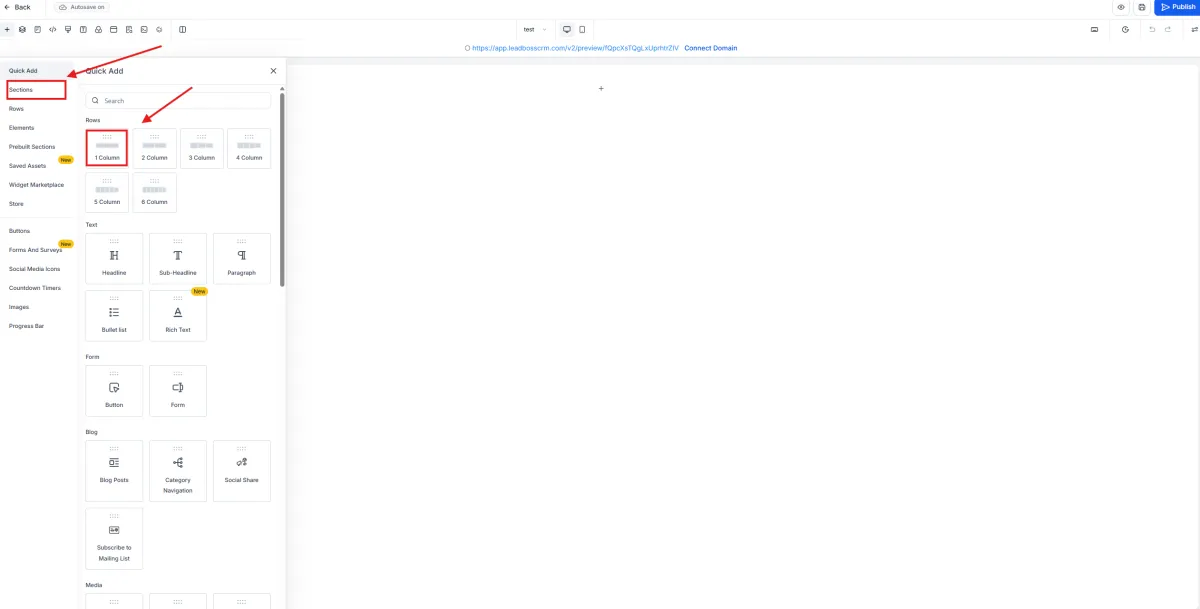
4️⃣ Add a Section
On the left side panel:
Click Sections.
Choose a layout such as:
1 Column
2 Column
3 Column
etc.
Click the layout to add it to your page.
5️⃣ Add Elements (Headline, Text, Images, Buttons)
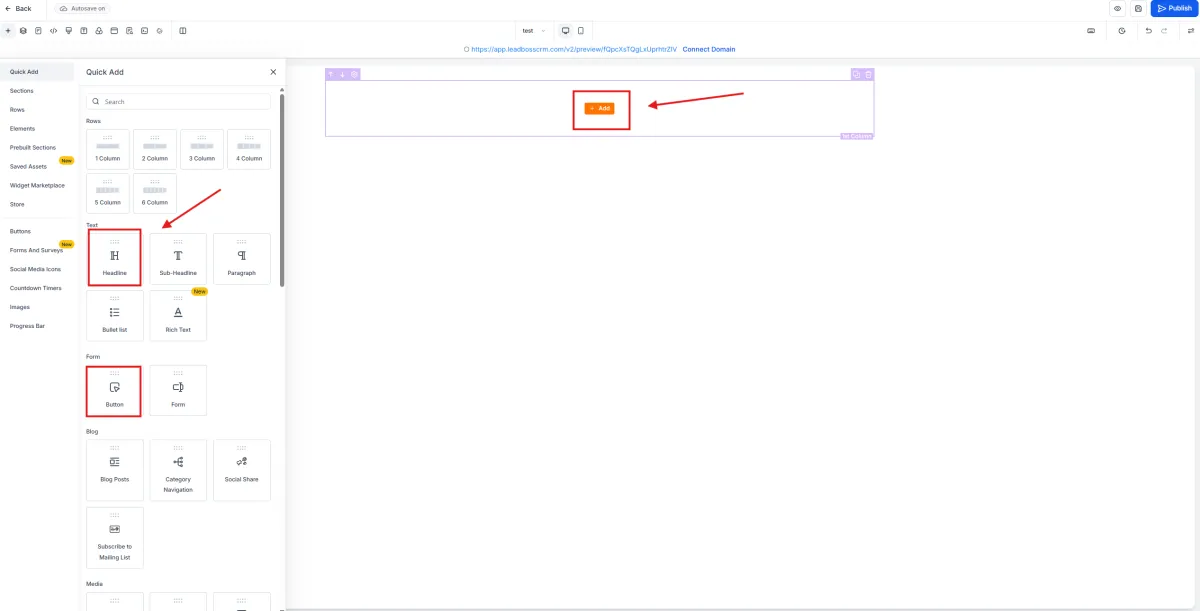
Click the + Add button inside the section.
Go to Elements in the left panel.
You can add:
Headline
Sub-Headline
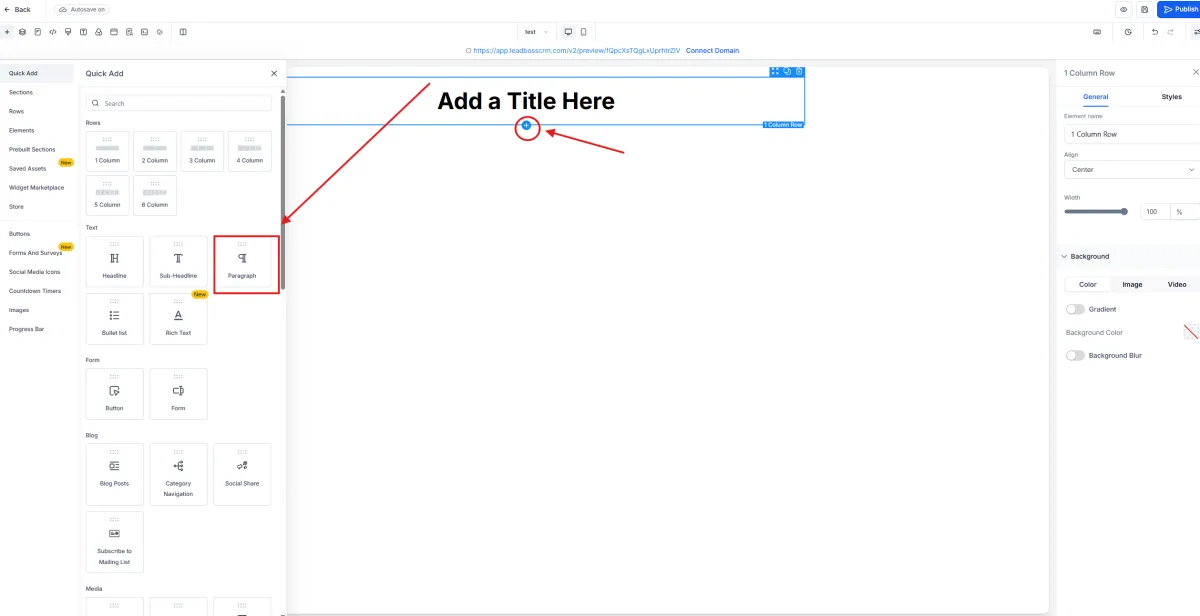
Paragraph
Image
Button
Form
Video
And more
Drag and drop the element into your section.
6️⃣ Edit Text
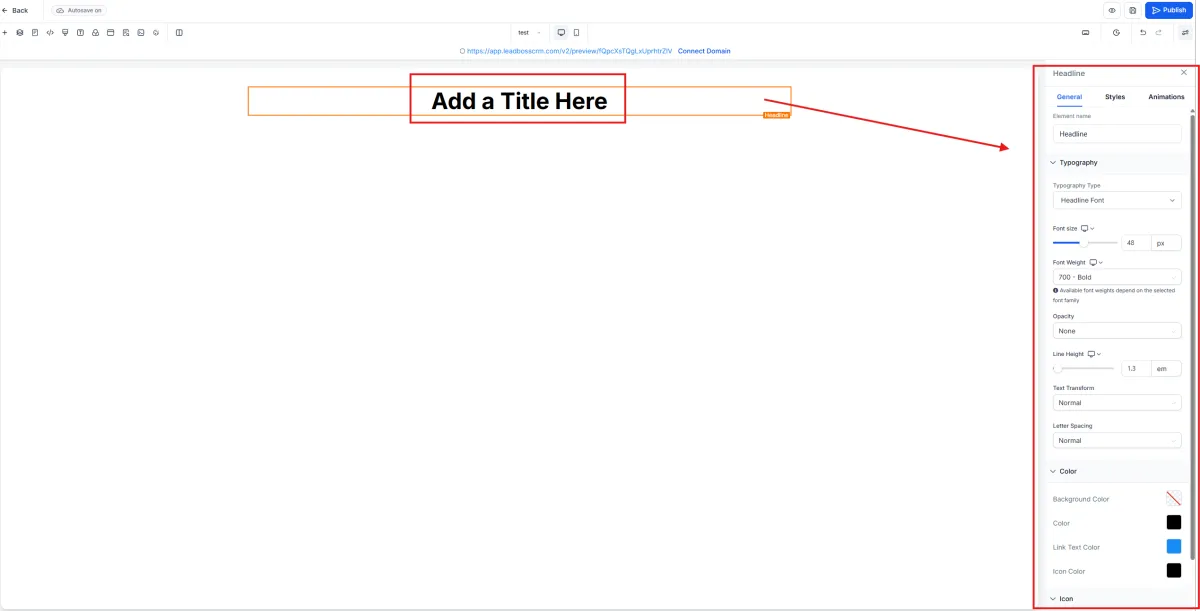
Click directly on the Headline or Paragraph text to edit.
On the right-side panel, you can adjust:
Font size
Font weight
Line height
Text color
Background color
Spacing
Animations
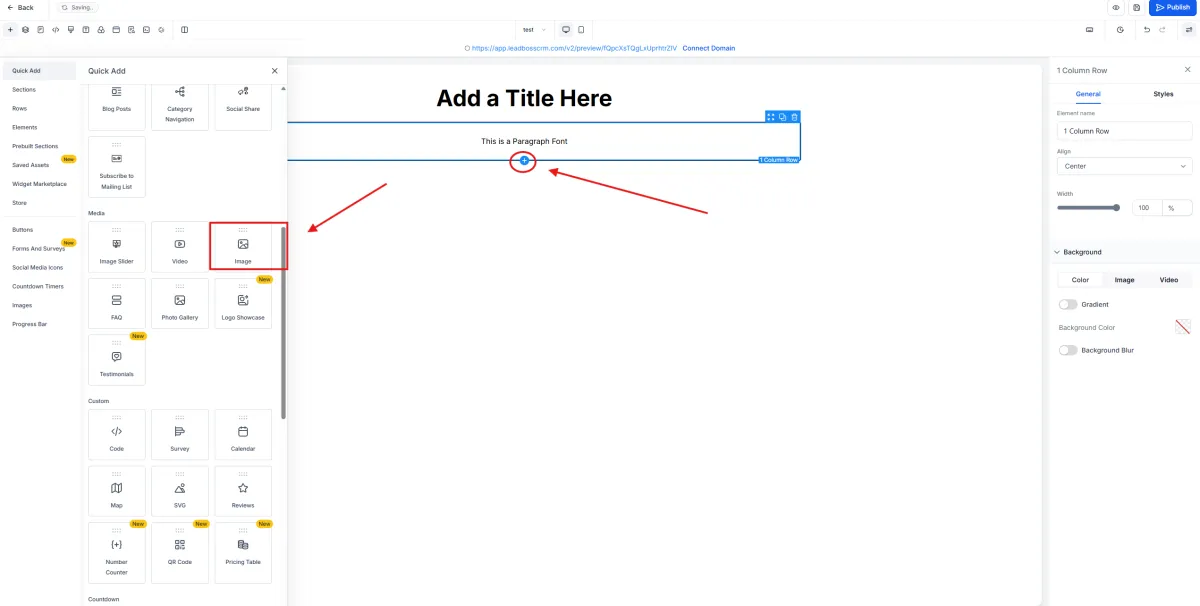
7️⃣ Add an Image
Click the + Add button.
Go to Elements → Select Image.
Upload your image or paste the image URL.
Adjust:
Width
Height
Alignment
Image actions
9️⃣ Save Your Page
Make sure Autosave is on.
Click Save if needed.
🔟 Publish Your Website
Click the Publish button in the top right corner.
Your website is now live.