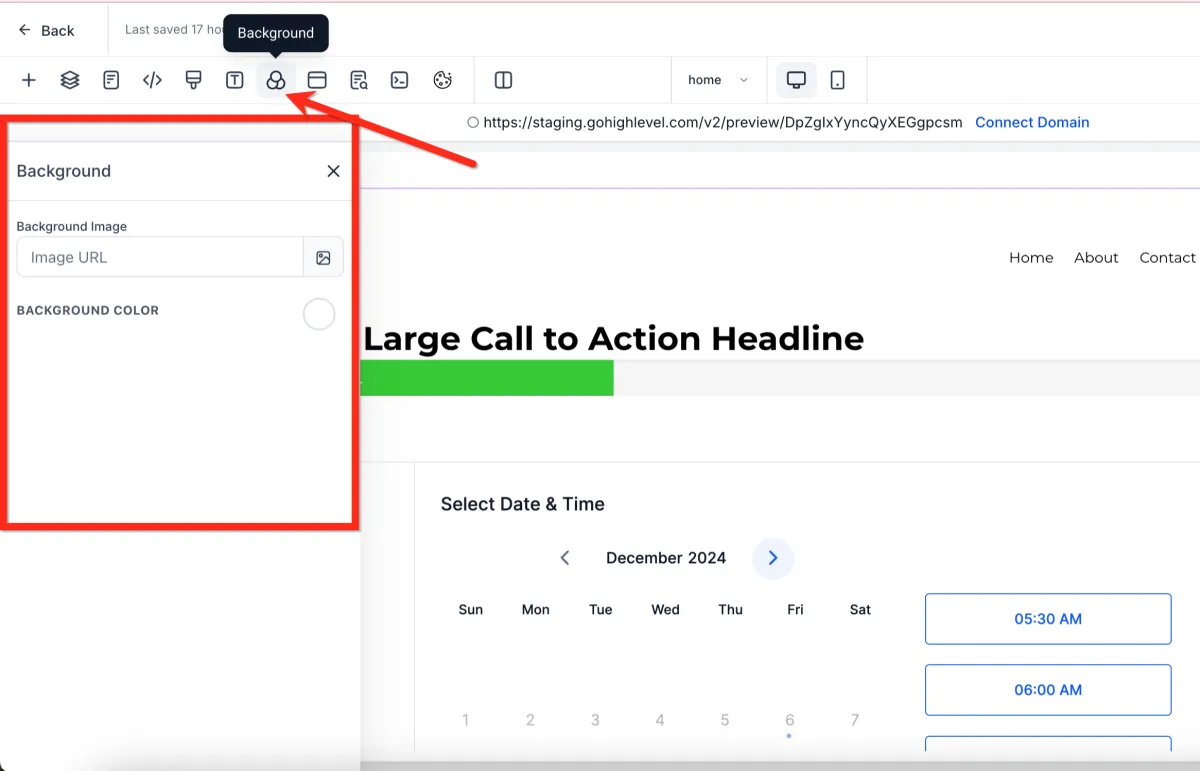
How to Customize Typography and Background in the Page Builder
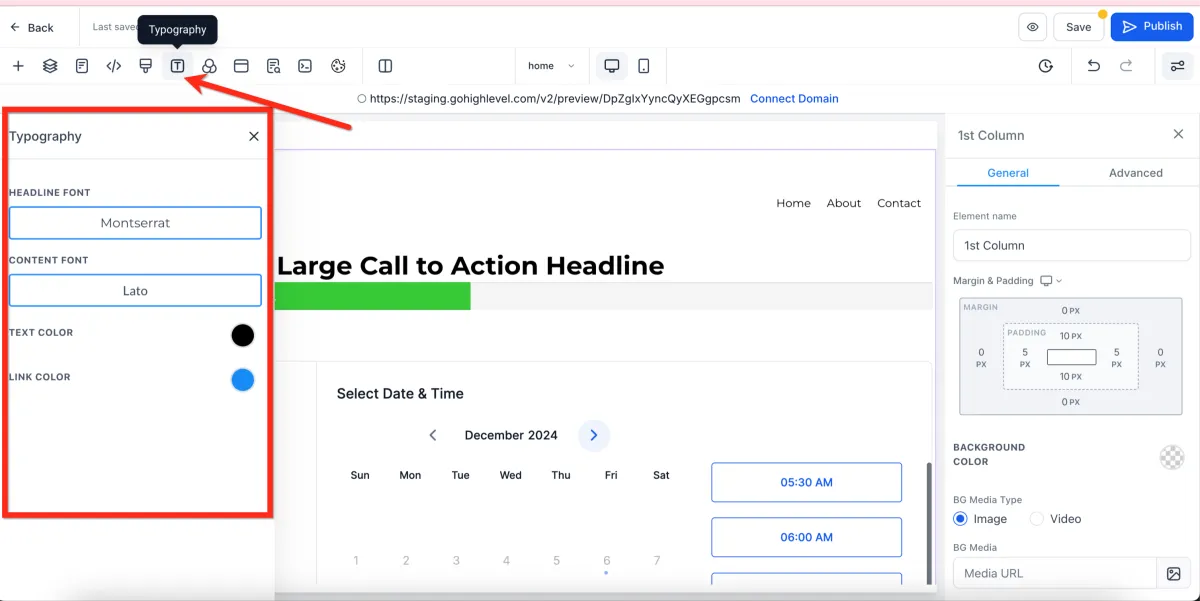
🎨 Typography
📌 Step 1: Open Typography Settings
1️⃣ Open your page in the Page Builder Editor.
2️⃣ Navigate to the Typography tab.
✏️ Step 2: Customize Fonts and Colors
1️⃣ Adjust the default styles for:
Headlines
Body text
Link text
2️⃣ You can also change:
Font styles
Text colors
Link colors
🌄 Background
📌 Step 1: Open Background Settings
1️⃣ In the Page Builder, go to the Background tab.
🖼️ Step 2: Set Background Style
1️⃣ Choose a:
Background color, or
Background image
2️⃣ Apply your selection to the page.
⚠️ Important Notes
The background set here appears behind all sections
If a section, row, column, or element has its own background, it will override this default background