How to Manage your Opportunities
🎯 Opportunities
Opportunities play a key role in managing potential sales within Lead Boss CRM. This guide walks you through how to create and manage opportunities, helping you track contacts efficiently as they move through your pipeline.
📋 Managing Opportunities
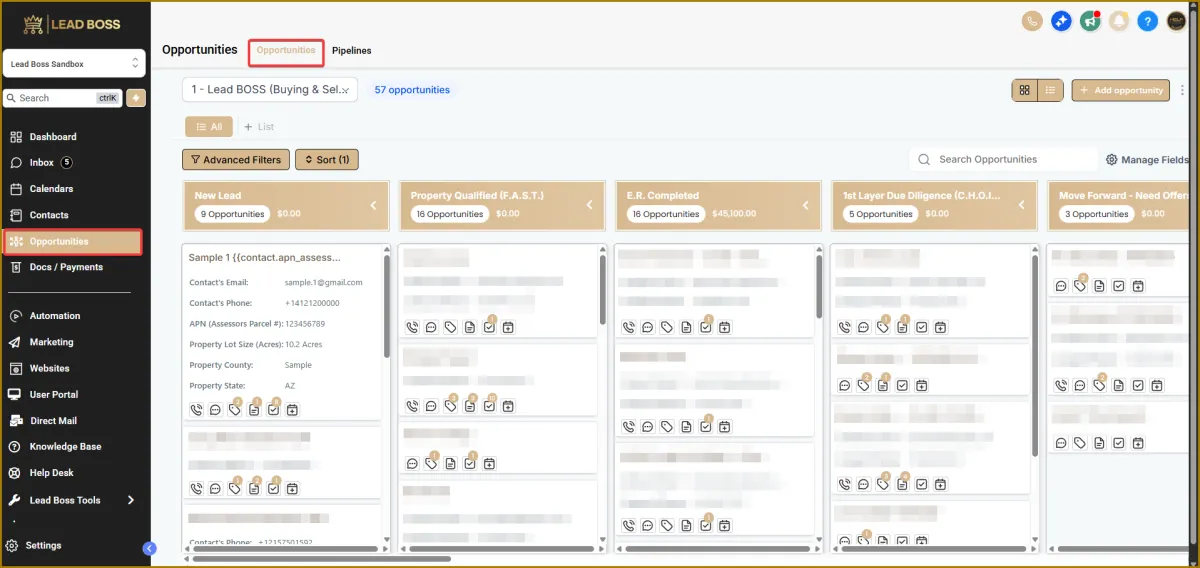
1️⃣ Navigate to:
Opportunities → Opportunities
2️⃣ Opportunity stages are based on the stages you have created in your pipeline.
3️⃣ For each stage, you can configure:
🔹 Follow-ups
🔹 Automations
🔹 Tasks
to match your workflow and business process.
🔍 Searching & Filtering Opportunities
🔹 Use the Search Opportunities bar to search by:
Lead name
Email address
APN
Phone number
🔹 Use Sort or Advanced Filters to further refine and locate opportunities quickly.
🧾 Opportunity Cards
Each opportunity card displays key details about the lead as well as related property information.
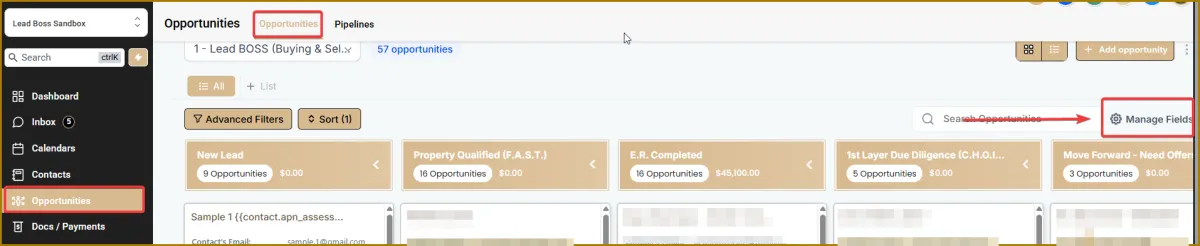
🔹 You can customize which information appears on the card by clicking the gear icon and selecting Manage Fields.
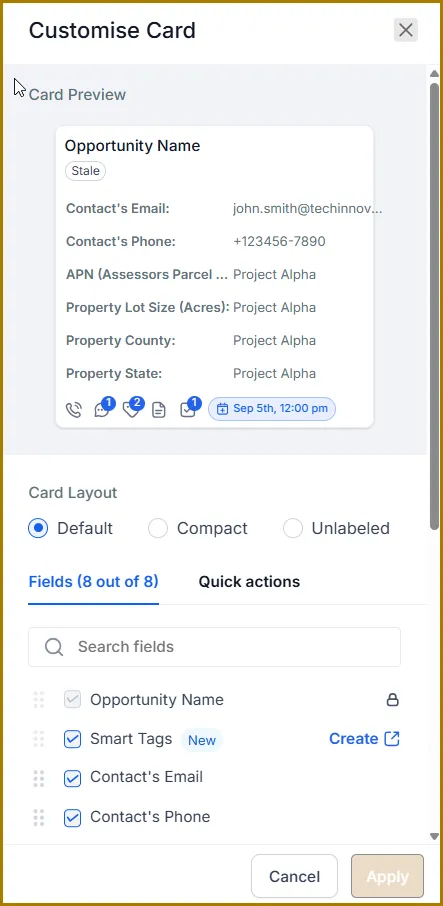
🔹 Opportunity cards are customizable, allowing you to select up to 8 fields to display on each card.
📌 Opportunity Card Details & Tabs
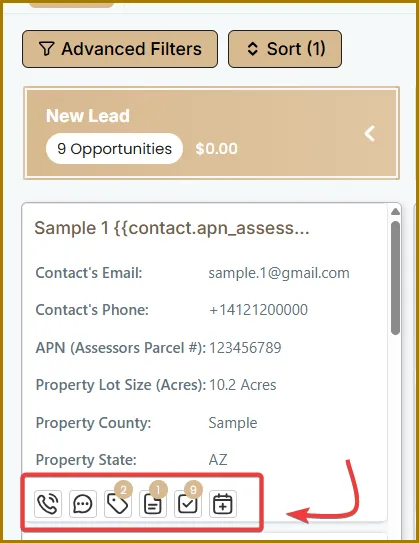
On each Opportunity Card, you can view both client and property information.
Below the main details, you’ll find several sub-tabs that give you quick access to related activities:
🔹 Call icon – View and manage call history and conversations
🔹 SMS icon – View and manage text message conversations
🔹 Tags – Organize and categorize the opportunity
🔹 Notes – Add and review important notes
🔹 Tasks – Create and track tasks related to the opportunity
🔹 Calendar – View scheduled events and appointments
➕ Creating a New Opportunity
1️⃣ Navigate to the Opportunities section.
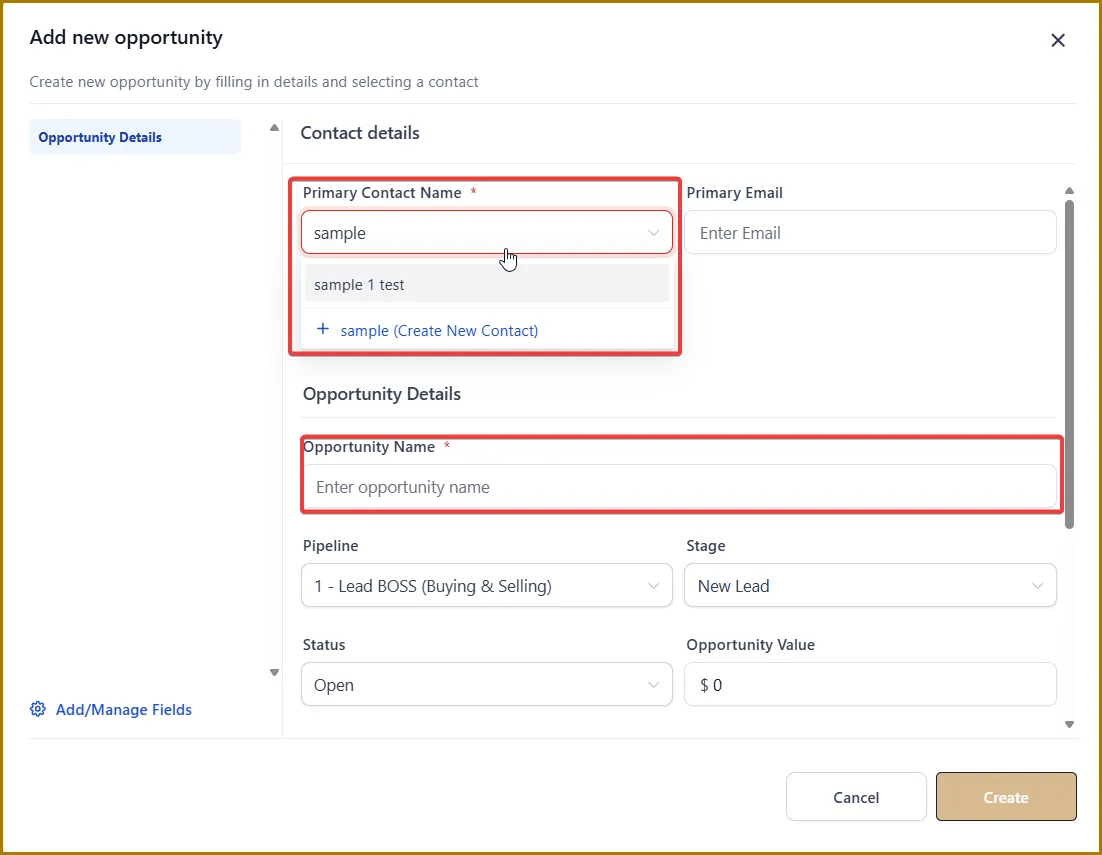
2️⃣ Click the + Opportunity button in the top-right corner.
3️⃣ Fill in the relevant details, including:
Contact name and contact information
Pipeline details
Opportunity value
4️⃣ Optionally, you can type in the contact name if it already exists.
5️⃣ Click Create.
The opportunity will now appear in the Opportunities dashboard.
🧩 Opportunity Details Page
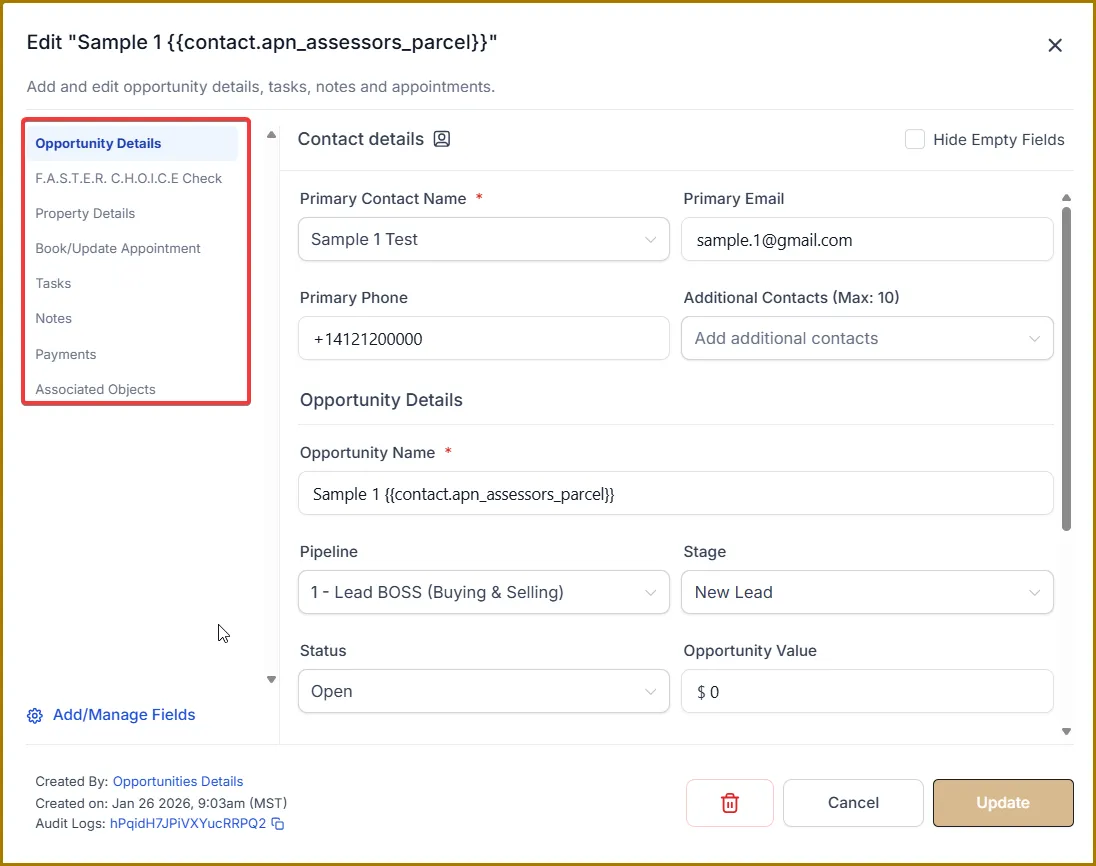
From the Opportunity Details page, you can:
🔹 Update the contact’s name and contact information
🔹 Modify the opportunity value and opportunity source
🔹 Change the pipeline stage
🔹 Assign or change the owner
🔹 Add or edit tags
🔹 Update custom fields associated with the opportunity
📝 Adding Notes and Attachments
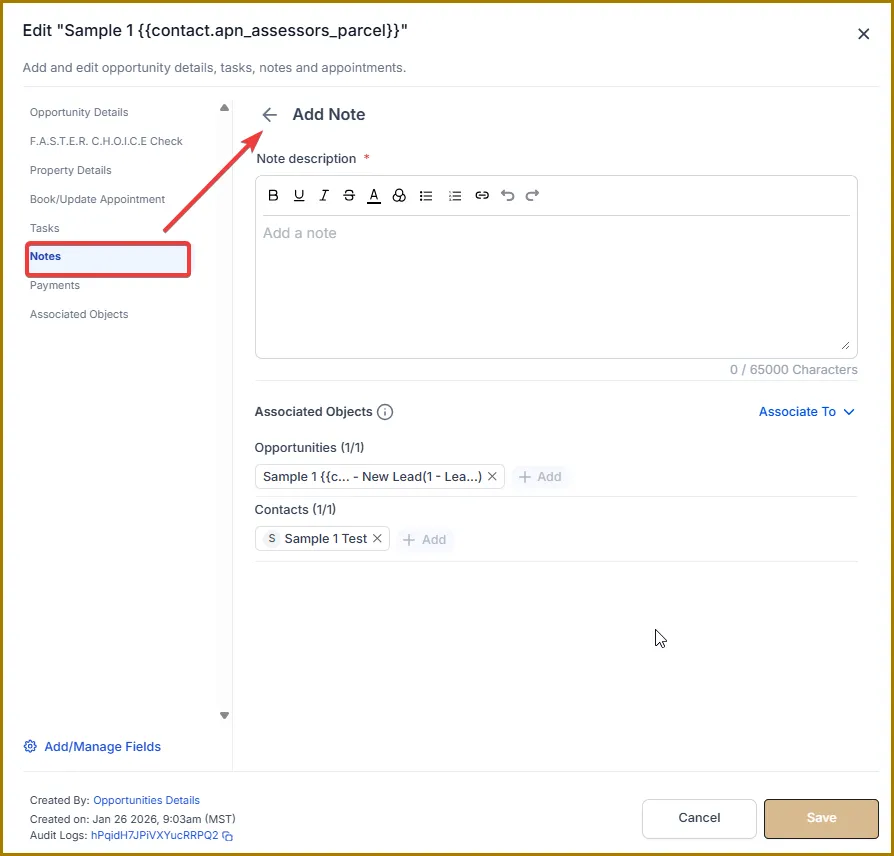
🔹 Add notes or additional information by clicking Notes in the left sidebar.
🔹 All notes added here will also appear in the corresponding contact’s notes.
⏰ Setting Tasks and Reminders
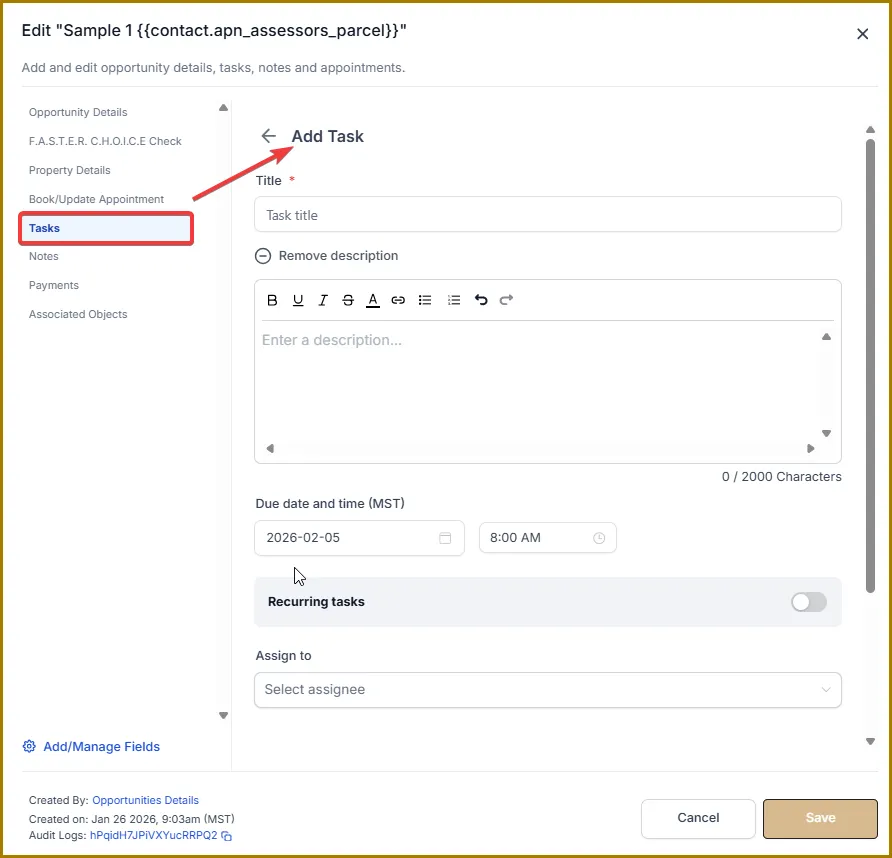
🔹 Open Tasks from the sidebar to add tasks or follow-up actions related to the opportunity.
🔹 Assign tasks to yourself or team members.
🔹 Set due dates and priority levels.
🔹 You can also add appointments in the same way.
🔹 Tasks and appointments added here will also reflect on the contact’s record.