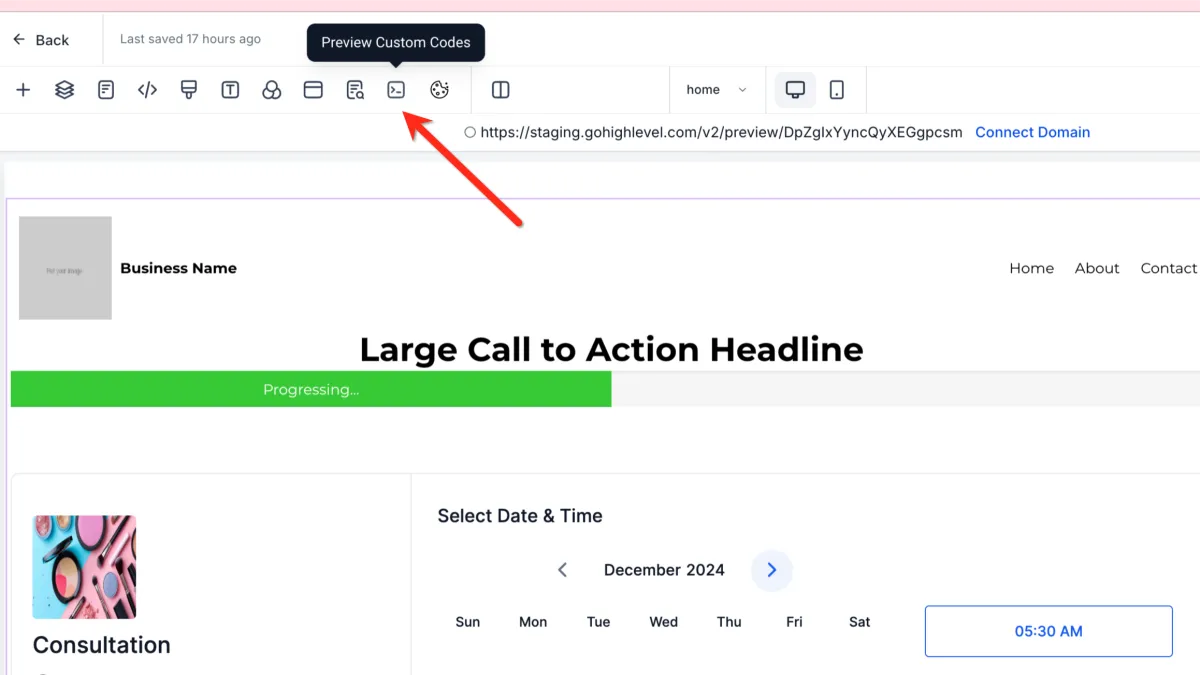
How to Preview Custom Code
💻 Preview Custom Code
📌 Step 1: Locate the Preview Custom Code Option
1️⃣ Open your page in the Page Builder Editor.
2️⃣ Find and click the Preview Custom Code button.
👁️ Step 2: Load and View Custom Code
1️⃣ Once clicked, the builder will load any installed custom code.
2️⃣ You will be able to see how the code functions directly within the builder.
🌐 Step 3: Use Page Preview (Optional)
1️⃣ You can also click Preview Page.
2️⃣ This allows you to view your page as it would appear live, including custom code behavior.
⚠️ Important Notes
Custom code must be installed correctly to work
If the code does not function as expected, you may need to:
Review the code
Consult a developer