How to Select A Phone number
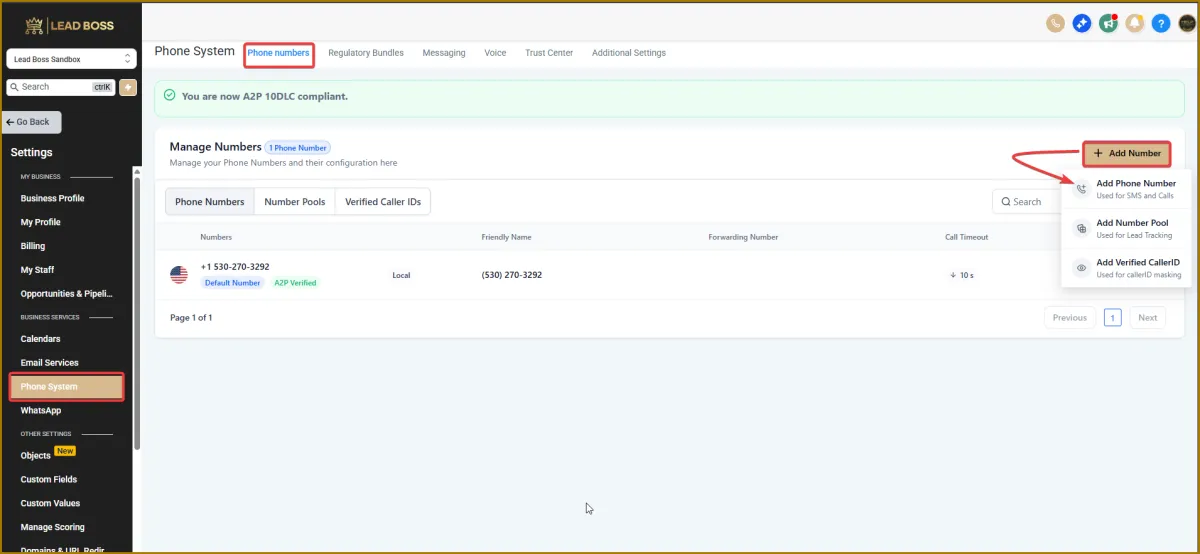
1️⃣ Log in to your LeadBossCRM account
2️⃣ Go to Settings at the very bottom of the screen, then tap Phone System
3️⃣ Click on Add Number
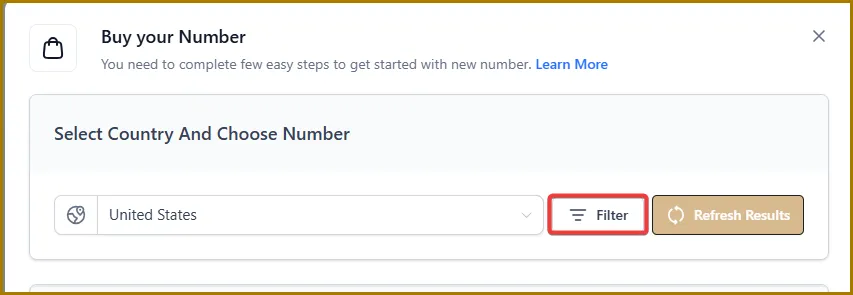
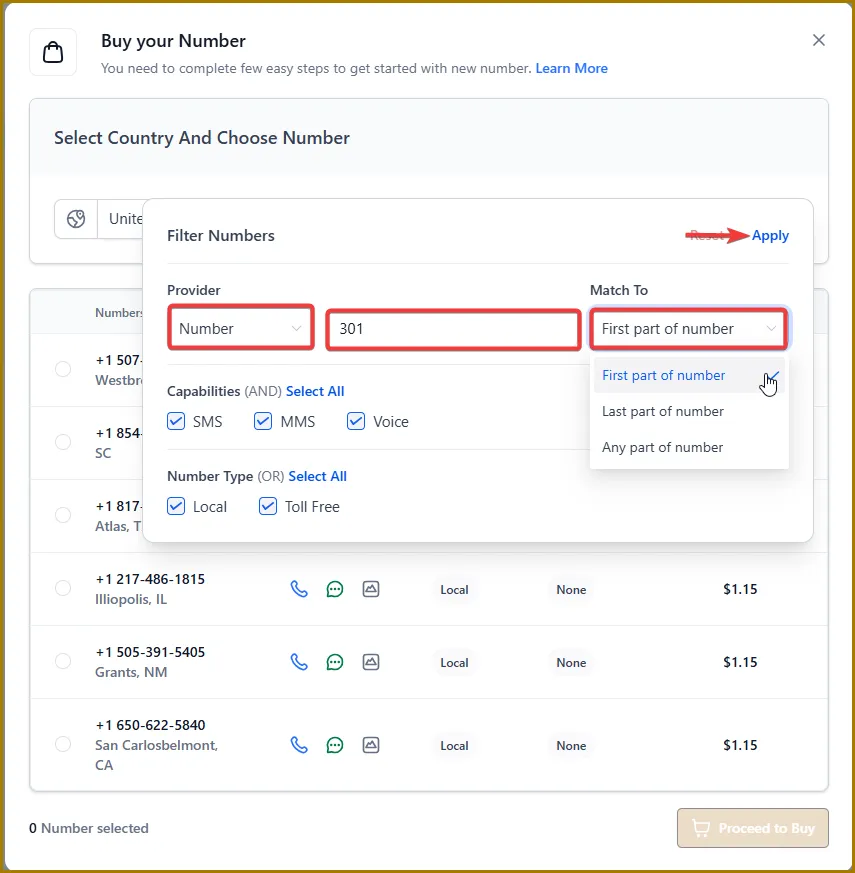
4️⃣ After you tap Filter, you’ll be prompted to choose the area code you want.
In the dropdown next to the area code, select the first part of the number as well.
When you’re finished, tap Apply at the top.
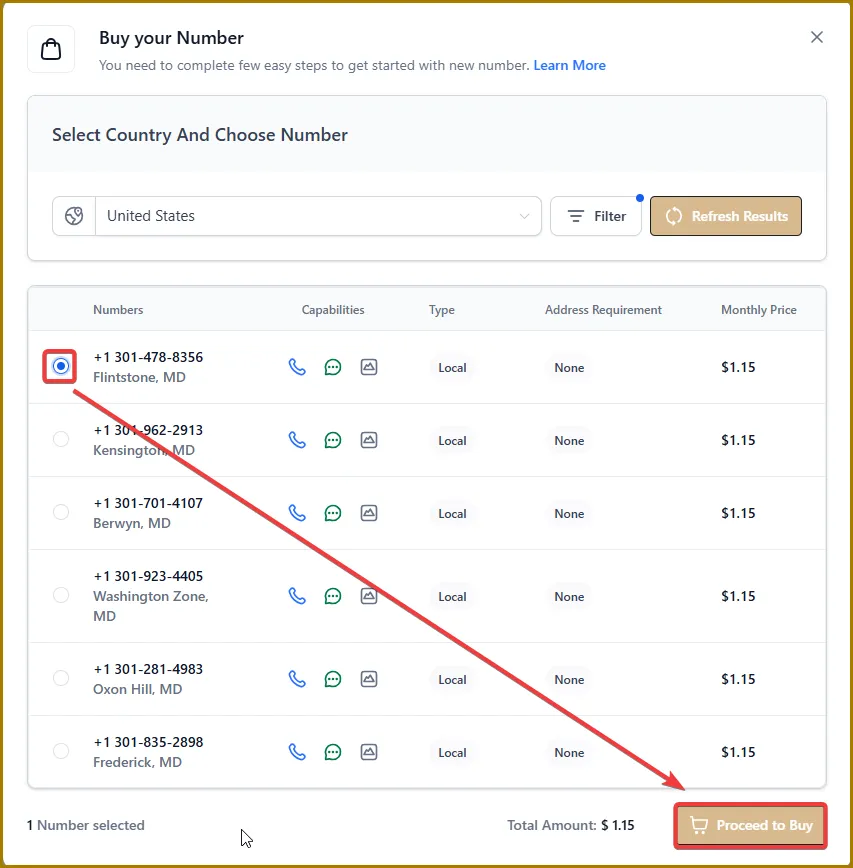
5️⃣ You’ll now see the available area code options. The list will display the corresponding cities, along with the monthly cost for each phone number.
Select the phone number you want, then tap Proceed to Buy.
Note: There’s nothing more you need to do after this stage. The LeadBoss tech team will submit the A2P registration on your behalf.