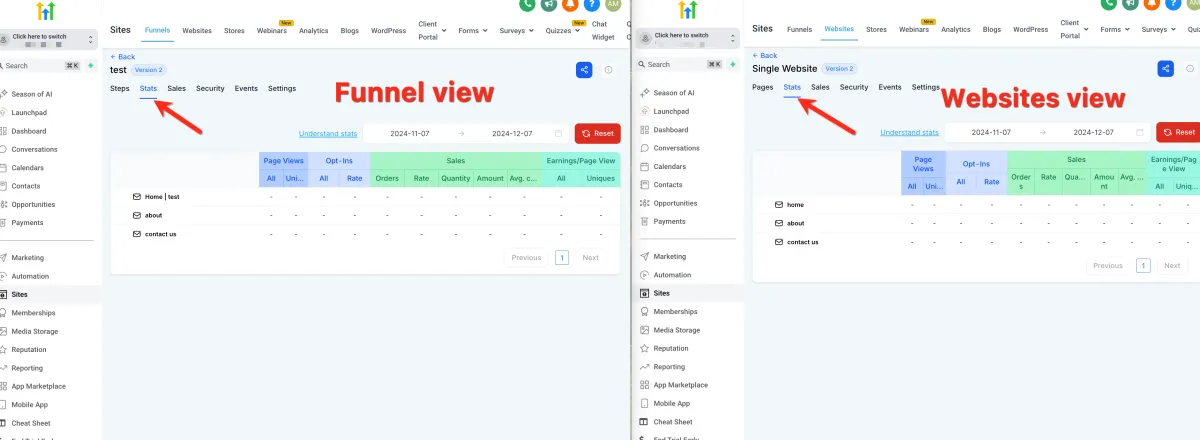
How to View Site Stats
📈 Site Stats
📌 Step 1: Access Site Stats
1️⃣ Navigate to your Site or Funnel dashboard.
2️⃣ Locate and click on the Stats section.
🔍 Step 2: Review Key Metrics
Inside the Stats section, you can view:
Page Views → Number of visitors to your pages
Opt-ins → Number of leads captured
Sales → Total number of purchases
Earnings → Revenue generated
📊 Step 3: Use Stats for Insights
1️⃣ Analyze performance to understand:
Which pages are performing well
How many leads you are generating
Your overall sales performance
2️⃣ Use this data to improve your:
Funnels
Marketing strategies
Conversion rates